
AI OCR & Document Converter: Convert Images & PDF to Word and Excel Sheets
Smart AI OCR & Document Suite
Extract text, handwriting, and convert invoices into structured Excel spreadsheets & Word docs.
Extract complex invoices to Excel, transcribe cursive handwriting, and export Word documents without limits.
Click here or drag & drop file to upload
Supports PNG, JPG, scanned receipts, handwriting, and PDF pages
Compare Plans: Free vs. Pro
Standard Free
$0- ✔️ 5 Daily Conversions
- ✔️ Basic Text Extraction
- ✔️ Instant Copy to Clipboard
- ❌ No Invoices & Tabular Tables
- ❌ No Cursive Handwriting OCR
- ❌ No Excel (CSV) / Word Export
Enterprise Pro
- ⚡ Unlimited Conversions (No Daily Caps)
- 📊 Smart Invoice Auto-Extraction to Live Tables
- ✍️ Advanced Cursive & Handwritten Recognition
- 📥 Instant Excel (CSV) Spreadsheets Export
- 📄 Direct Word (.doc) Formatted Export
- 🚀 Priority Gemini Vision Deep-Scan Engine
Looking for the most accurate and reliable AI OCR tool online? Welcome to Digro Store's premier document digitization suite. With our modern scanning technology, converting physical paperwork, handwritten notes, and PDF files into fully editable assets is faster and easier than ever. Whether you want to transcribe receipts into spreadsheets or convert scanned contracts into text, this system delivers high precision with minimal effort.
Why an Intelligent AI OCR Tool Outperforms Traditional Software
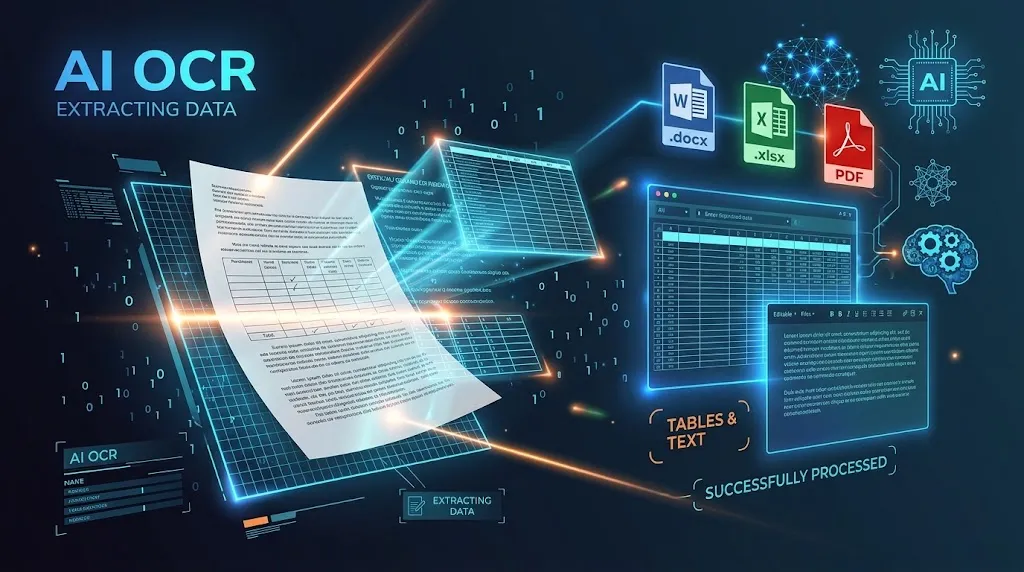
Traditional scanning programs rely on rigid optical pattern matching that frequently breaks down when dealing with curved pages, low lighting, or cursive scripts. In contrast, an intelligent AI OCR tool combines optical scanning with deep visual learning models. Powered by modern Google AI neural systems, our engine understands contextual sentence structures, column boundaries, and typography variations seamlessly.
Studies highlighted in optical character recognition frameworks demonstrate that manual clerical transcription carries an error rate above 4%. By integrating an automated document scanner into your everyday workflow, you eliminate transcription mistakes, save valuable business hours, and keep all your extracted information structured and searchable.
Core Features of Our Smart Document Suite
Our document suite is built from the ground up to support business owners, accounting departments, and students:
- Automated Invoice & Receipt Parsing: Our platform automatically identifies line items, quantities, rates, and totals, transforming messy purchase receipts into organized table structures.
- Cursive & Handwritten Text Extraction: Unlike ordinary software, this advanced AI OCR tool transcribes cursive handwriting and field lecture notes directly into editable text blocks.
- Instant Spreadsheet & Word Document Exports: Pro users can export tabular data directly to CSV spreadsheets or save processed documents as clean Microsoft Word (.doc) files.
- Universal Image Support: The system easily handles PNG, JPG, and multi-page scanned PDF images with built-in digital noise reduction.
- Rapid Cloud Execution: Get your recognition results in just seconds thanks to our fast vision server architecture.
Explore More Free Online Utilities on Digro Store
In addition to our flagship optical scanner, Digro Store provides a complete ecosystem of free web-based tools designed to simplify your everyday digital tasks:
- Convert Images to PDF: Combine multiple photos or receipts into a clean PDF before processing them through our scanner using the Free Image To PDF Converter.
- Merge Multiple PDFs: Combine separate multi-page documents, invoices, or research papers into a single organized file with the Free Online PDF Merger.
- Optimize Images for Fast Loading: Convert heavy photo files into optimized next-gen formats using our Free Online WebP Image Converter.
- Automate WhatsApp Shopping Carts: Generate instant direct checkout links and streamline mobile orders with the Free WhatsApp Smart Cart Builder.
Looking to organize your business schedule and digital operations? Browse our premium catalog of Notion systems and productivity digital planners to scale your productivity.
Best Practices for Getting Maximum Precision
To ensure flawless table borders and spotless letter accuracy when processing files, keep these simple guidelines in mind:
- Ensure Balanced Lighting: Place the document under even light to avoid heavy camera shadows over key invoice rows or small letters.
- Flatten Paper Folds: Smooth out bent receipts and curved pages so the vision model can follow horizontal table boundaries without interruption.
- Upload Sharp Images: Provide high-resolution captures to give the vision algorithms clear visibility of punctuation marks and tiny numbers.
Frequently Asked Questions About Our Service
Is this AI OCR tool completely free to use?
Yes, all visitors receive 3 complimentary daily conversions to test and use our service on any image or scanned page. Power users requiring unlimited daily limits, Excel exports, and cursive extraction can upgrade to our Pro tier for just $14.99 per month.
Can this software export structured tables into Excel?
Yes! When processing an invoice or receipt, the system separates columns and rows into an interactive preview grid that you can edit online and download as a CSV spreadsheet.
How secure is my data during processing?
Your privacy is strictly safeguarded. Documents submitted to our conversion server are processed dynamically in temporary memory and are never stored or shared with external parties.